Motherboard form factors and chipset compatibility: getting both right the first time
The support ticket that haunts me to this day started with four innocent words: "my new board doesn't fit." A reader had ordered a gorgeous Mini-ITX motherboard for a build he was sure would work. It arrived. The CPU socket was exactly what he wanted. The chipset was the higher-tier one he'd read about. Everything was "compatible" on paper. Then he tried to drop it into his case and discovered the board was 170mm wide in a chassis engineered for 165. Two millimetres. That's all it took.
I've since realised this is the single most common way people waste money on a PC build: they check one compatibility axis and assume the other doesn't exist. Motherboards have two separate compatibility systems that have nothing to do with each other, and confusing them is how you end up returning a board you can't use. Let me walk you through both, because once you see the two axes clearly, you'll never get this wrong again.
Key Takeaways
- Form factor governs physical size and case fit. Chipset governs which CPU generation and features the board supports. They are independent constraints.
- ATX, Micro-ATX, Mini-ITX, and E-ATX are the four layout standards you'll actually encounter. Smaller boards fit in bigger cases, not the reverse.
- The socket (LGA1700, LGA1851, AM5, AM4) must match your CPU. The chipset (B760, Z790, B650, X670) determines features, not socket identity.
- A Mini-ITX board rarely carries a flagship chipset. Premium chipsets need board real estate that small form factors don't have.
- Check the case's supported form factor list before you buy anything else. It's the cheapest mistake to avoid.
What is a motherboard form factor, exactly?
A form factor is a published physical standard. It defines three things: the board's dimensions, the location of the mounting holes, and where the rear I/O ports sit on the back edge. Because those three things are standardised, any case that advertises support for a given form factor will accept any board built to that spec—regardless of brand, chipset, or price.
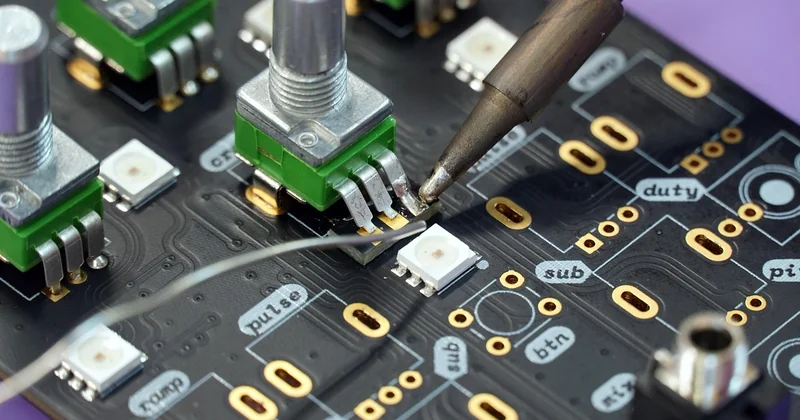
That's the whole idea. It's less about the board itself and more about a shared contract between manufacturers. When ASUS, MSI, and Gigabyte all agree that an ATX board is 305mm × 244mm with holes in fixed positions, case makers can build to that number with confidence.
The four form factors you'll actually see
| Form factor | Typical dimensions | PCIe slots (typical) | Best fit for |
|---|---|---|---|
| E-ATX | Up to 305mm × 330mm | 4–7 | Workstations, multi-GPU, heavy expansion |
| ATX | 305mm × 244mm | 4–7 | The default for most desktop builds |
| Micro-ATX | 244mm × 244mm | 2–4 | Compact builds that still want a couple of cards |
| Mini-ITX | 170mm × 170mm | 1 | Small-form-factor builds, media centres, travel rigs |
Look at the height difference between E-ATX and ATX. In theory they're both "standard" boards, but the E-ATX variant can exceed what a mid-tower case allows. That's the trap: not every ATX case accepts E-ATX, even though both are nominally desktop standards.
Here's the thing most guides skip. A smaller board fits in a larger case—always. A Mini-ITX board drops happily into a full ATX tower. But the reverse never works, and no adapter exists that will save you.
How do I tell what form factor my motherboard is?
Three ways, in order of reliability. First, read the model name printed on the board itself—most manufacturers embed the form factor in the part number, and a quick search of that string confirms it. Second, measure the board: if it's 170mm on the short side, it's almost certainly Mini-ITX. Third, count the rear expansion slots visible on the case's back panel—one slot points to Mini-ITX, four or more suggests full ATX.
The mounting holes are the real giveaway. Their positions are fixed by the spec, so if you lay the board over a case with standoffs visible, the geometry will either line up or it won't. No guessing required.
Chipset compatibility: the axis nobody checks
You can buy a perfectly sized board and still have it refuse to boot. That's because the chipset and socket are a completely separate system from the form factor.
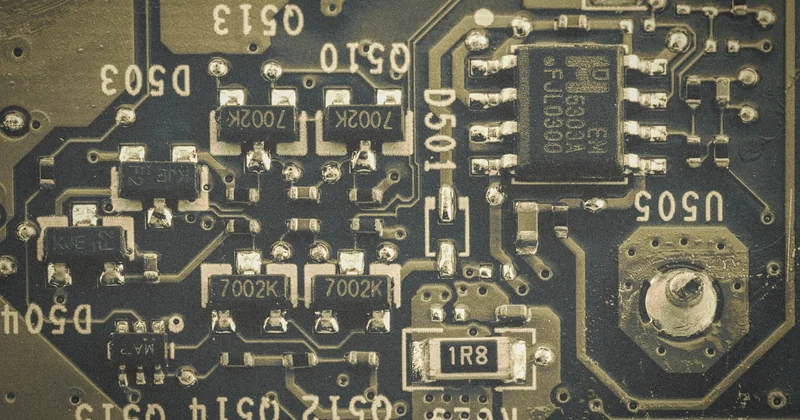
The socket is the physical and electrical interface for the CPU. Intel's current desktop sockets include LGA1700 and its successor LGA1851; AMD uses AM5 for its current generation and AM4 for the previous one. A CPU built for one socket will not fit another—the pin layout and contact arrangement are physically different.
The chipset, meanwhile, is a companion chip that decides what the board can do: how many USB ports, how many PCIe lanes, whether you can overclock, how many storage drives attach natively.
Socket first, chipset second
This order matters. The socket filters which CPUs you can use. The chipset then filters which features you get with that CPU. If you pick the chipset first, you'll almost certainly pick the wrong one.
A quick reference for the current generation:
- Intel LGA1700 → chipsets like B760 and Z790. The Z-series unlocks overclocking; the B-series doesn't, but it's cheaper and perfectly adequate for most builds.
- Intel LGA1851 → newer desktop chipsets paired with recent Core generations. Match the socket exactly; a 1700 CPU will not drop into an 1851 board.
- AMD AM5 → B650 and X670 chipsets. B650 gives you PCIe 5.0 for storage and graphics with a lower price; X670 adds more lanes and connectivity.
- AMD AM4 → older chipsets like B550 and X570. Still viable for budget builds on the previous platform.
The form-factor-meets-chipset problem
Here's the information gain I wish more people talked about: flagship chipsets and tiny boards rarely coexist. The X670 and Z790-class boards carry serious connectivity—multiple M.2 slots, more USB headers, bigger power delivery—and that needs physical room. A 170mm Mini-ITX board simply can't hold all of it.
So if you're building small and want top-tier features, you're picking one. In my own experience, a B-series chipset on a Mini-ITX board covers about 90% of what most people actually use. The flagship tier mainly buys you overclocking headroom and extra lanes that a single-GPU SFF build can't use anyway.
How do I determine motherboard compatibility?
Work backwards from the parts you've already committed to. Start with the CPU: note its socket. Match that to the board's socket—the exact string, no assumptions about generations. Then check the chipset for the specific features you need: whether you need overclocking, how many M.2 slots you'll fill, whether you need PCIe 5.0. Finally, check the case's supported form factor list against the board's size.
Four checks. CPU socket, chipset features, case fit, RAM generation. If all four line up, the build will work.
Which motherboard form factor is best?
There's no single winner, and anyone who tells you otherwise is selling something. The right answer depends entirely on what you're building.
For most people building a standard desktop, ATX is the safest default. It has the most room for expansion, the widest case selection, and it's usually the cheapest per feature—you're not paying the small-form-factor premium. If you'll never install more than one graphics card and one or two drives, Micro-ATX does the same job in less space for less money.
Mini-ITX is for people who genuinely need the footprint. And E-ATX is really only worth it if you're running multiple GPUs or a large workstation workload. For 95% of builds, E-ATX is overkill that costs you case compatibility and money.
My honest take: buy ATX unless you have a specific reason not to. The "specific reason" is usually space—a desk that can't fit a tower, or a desire for something you can move easily. Those are legitimate. "It looked cool" is not.
The bottom line
Form factor and chipset are two separate languages. Form factor answers "will this fit?" Chipset answers "what will this do, and with which CPU?" When you check them one at a time and in the right order—CPU socket, then chipset features, then case fit, then RAM—you remove almost every compatibility surprise before you spend a coin.
The two-millimetre problem that started this article never had to happen. A single glance at the case's spec sheet would have caught it. The trick isn't knowing everything about motherboards. It's knowing which two questions to ask first, and asking them in the right sequence.
Get the sequence right, and the rest of the build takes care of itself.