Somebody asked me this at a repair counter last month, holding two drives in their hands: a 1TB hard drive they'd pulled from a dead laptop, and a 256GB SSD they'd bought on a whim. "Which one do I actually put in?" The honest answer took me ten minutes, because it depends entirely on one thing most spec sheets bury — what you're asking the drive to do.
Storage is the one component where "faster" and "better" stop being the same word. An SSD wins basically every speed contest you can design. An HDD wins on volume per dollar, and for a few very specific jobs that still matters a lot. If you get the choice wrong, you either overspend on capacity you'll never touch, or you cripple a machine with a cheap drive that makes a modern laptop feel like it's running through wet sand.
Here's how to actually decide, based on real numbers, real failure patterns, and the trade-offs that show up after six months of daily use — not on the day you install it.
Key takeaways
- Speed isn't a nicety, it's the load-bearing wall. A SATA SSD moves data at roughly 500 MB/s; an NVMe drive pushes 3,500–7,000 MB/s. A mechanical HDD sits near 120–160 MB/s on a good day.
- Latency matters more than raw throughput for daily feel. An SSD answers a request in around 0.1 ms; an HDD takes 5–10 ms. That gap is why an old laptop with a new SSD feels newer than a new laptop with an old drive.
- HDDs still win on cost per terabyte — but that advantage only pays off above roughly 4TB, where SSDs get genuinely expensive.
- No moving parts means no shock tolerance problem. This is why every laptop, tablet and handheld ships with flash.
- The right answer for most people in 2026 is both: a modest SSD for the system and active files, a large HDD for archives.
SSD vs HDD: which storage drive is better for your needs?
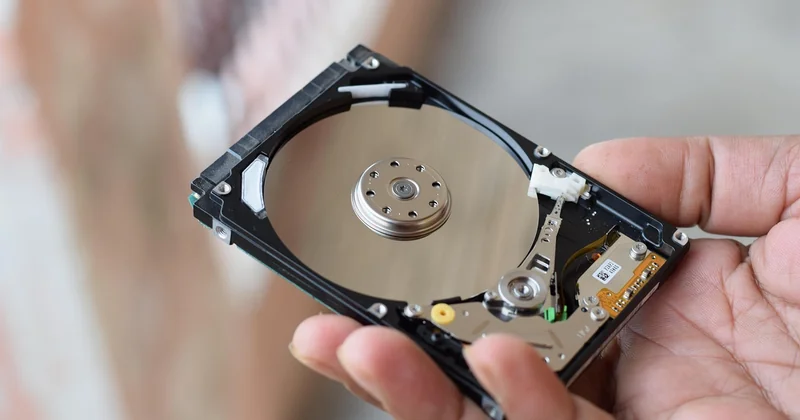
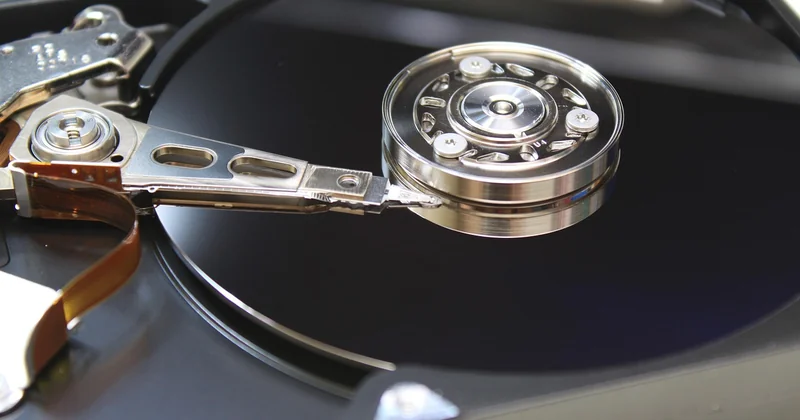
Neither one is universally better. That's not a cop-out — it's the whole point. An SSD is a memory chip that happens to hold your files. An HDD is a tiny record player: spinning platters, a mechanical arm, a read head floating microns above the surface. Different physics, different strengths, different ways to die.
So before you pick, answer one question honestly: is this drive going to be used every day, or written once and rarely read? Everything below flows from that.
What actually differs
The speed gap gets all the attention, and it deserves it, but the number people quote — sequential read speed — is the least important of the three. What you feel daily is random access and latency: opening a browser with forty tabs, waking a laptop from sleep, launching a game level, scrubbing a timeline in a video editor. An HDD has to physically move its arm to the right track and wait for the platter to rotate into position. Every single time. An SSD just... reads. There's no waiting, no seeking, no mechanical delay.
That's why the felt difference between an HDD and even a cheap SATA SSD is enormous, while the difference between a SATA SSD and a fast NVMe drive is often subtle unless you're moving large files or running heavy multitasking workloads. Diminishing returns kick in hard.
| Spec | HDD | SATA SSD | NVMe SSD |
|---|---|---|---|
| Sequential read (typical) | 120–160 MB/s | ~500 MB/s | 3,500–7,000 MB/s |
| Access latency | 5–10 ms | ~0.1 ms | ~0.05 ms |
| Moving parts | Yes | No | No |
| Cost per TB (rough) | Lowest | Mid | Highest |
| Shock tolerance | Poor | Excellent | Excellent |
| Best for | Bulk archive | Everyday system drive | Performance workloads |
Why an old laptop with a new SSD feels new
Boot time tells the story cleanly. A machine on a mechanical drive typically takes 60 to 90 seconds to reach a usable desktop on Windows. Swap in a SATA SSD and that drops to somewhere around 10 to 15 seconds. I've upgraded laptops that were five years old — same CPU, same RAM, nothing else changed — and the owner assumed I'd replaced the whole machine. I hadn't. The drive was the bottleneck the entire time, and nobody noticed because it was the one part you can't see.
If you take one thing from this article: a modest SSD beats a large HDD for anything you touch daily. The capacity you "lose" is almost never the capacity you were using anyway.
Should I buy SSD or HDD for storage?
Depends on the verb. "Use" and "store" are not the same job, and this is where most buying mistakes happen. People buy one drive to do both and end up disappointed in one direction or the other.
The two jobs
Active use — your operating system, applications, current projects, games you're playing, video you're editing right now. This wants an SSD, and it isn't close. Every one of these tasks hammers the drive with small, scattered reads, which is exactly the pattern a mechanical arm handles worst.
Cold storage — photo libraries from years ago, finished video projects, backups, that folder of old installers you'll never open. This is written once and read rarely. An HDD handles it perfectly well and costs a fraction of what flash does at the same capacity.
A real scenario
I keep a 500GB NVMe SSD as my system drive and a 4TB HDD for everything I've finished. The SSD holds the OS, my editing software, and whatever project is currently live. The HDD holds the exports, the raw footage archive, and a nightly backup of the SSD. Total cost was far below what a 4TB of flash would have run me, and I genuinely cannot tell the difference in daily use — because I never touch the HDD except to write to it or pull something back.
The trick is that the active slice of your data is almost always small. For most people, it's under 500GB. For heavy video work, it might hit 1–2TB. The rest is archive, and archives don't need speed.
Is HDD still worth it in 2026?
Yes — for one narrow, honest reason: cost per terabyte at high capacities. Once you're buying 4TB, 8TB or more, flash prices climb steeply while mechanical drives stay cheap. If you're building a home NAS, backing up a video archive, or storing a media library you'll stream from occasionally, an HDD is still the correct tool. Nothing about 2026 changed that.
What has changed is everywhere else. Laptops have all but abandoned mechanical drives — the form factor alone makes it awkward, and the shock tolerance problem is fatal for a machine you carry. Game consoles ship with flash. Even budget desktops now come with a small SSD as standard, because the alternative is a machine that feels broken out of the box.
Where HDDs still earn their place
- NAS and server builds where you need multiple terabytes cheaply
- Cold archival of finished projects
- Media libraries you read from but rarely write to
- Bulk backups where the speed of the backup matters less than the volume
If none of those describe you — if your data lives on one machine and you're not hoarding hundreds of gigabytes of video — you probably don't need a mechanical drive at all in 2026. A single 1TB or 2TB SSD will cover you, and you'll never miss the spinning platters.
Is it better to have 1TB HDD or 512GB SSD?
512GB SSD. Every time. This isn't a close call and I'll defend it without hedging.
Here's the reasoning: 512GB is enough for the operating system, your applications, and a working set of files for the vast majority of users. The 1TB HDD gives you more room but charges you a brutal tax in daily speed — every boot, every launch, every save. You'd be trading something you feel constantly for something you'd only miss if you ran out of space, which most people don't.
The one exception: if your work involves storing hundreds of gigabytes of large files you access regularly, the capacity argument gets real. But even then, the smarter move is a 512GB SSD plus a cheap external HDD for the bulk, rather than putting your entire working life on a slow drive.
The storage you actually use
Most people dramatically overestimate how much space they need. A clean Windows install plus a full office suite and a browser sits somewhere around 40GB. Add a few dozen applications and a reasonable photo library and you might reach 200GB. Games are the wildcard — modern titles can each eat 100GB or more — but if gaming is your priority, an SSD matters even more, not less, because level loading is one of the most drive-sensitive tasks there is.
Is a 256GB SSD better than a 1TB hard drive?
For a system drive, yes. For pure capacity, no. It's genuinely that simple, but the interesting part is why the "yes" usually wins.
A 256GB SSD is a perfectly serviceable Windows or Linux drive if you're disciplined about where you put things. It's fast, it doesn't care about bumps, and it'll make an old machine feel current again. The catch is that 256GB fills up faster than you think — the OS takes its cut, updates pile up, and a single large game can consume nearly half the drive. Once an SSD gets past roughly 80% full, performance can degrade, because the controller needs free space to manage writes efficiently.
A 1TB HDD gives you four times the room and none of the speed. For a desktop where you're storing media and don't care about boot times, that's fine. For a laptop, or anything you use as your main machine, the 256GB SSD is the better pick almost every time — as long as you're realistic about living within its limits.
My honest recommendation
If 512GB is within budget, take it over both. It's the sweet spot where you get SSD speed and enough room to stop thinking about space constantly. If the choice is strictly between 256GB of flash and 1TB of spinning rust, take the flash — but plan to add external storage sooner rather than later.
SSD vs HDD lifespan: which one lasts?
This is where the conventional wisdom gets it backwards. People assume mechanical drives last forever because they've had one working for a decade. And they have — a desktop HDD that never moves can truck along for years. But that same drive in a laptop that gets carried around is a different story entirely.
How each drive fails
HDDs fail mechanically. The arm, the bearings, the spinning motor — all moving parts with finite lives, and all vulnerable to shock. Drop a running laptop on a hard drive and you can lose everything in a single bounce. They also tend to fail gradually, giving you warning signs: clicking, slow reads, corrupted files.
SSDs fail when their cells wear out. Each flash cell can only be written a finite number of times — measured in terabytes written (TBW). A typical consumer drive is rated for hundreds of terabytes of writes, which for normal use means years, often longer than the rest of the machine will survive. But when an SSD fails, it tends to fail suddenly. No clicking, no warning. One day it works, the next it doesn't.
Both failure modes argue for the same conclusion: back up regardless of which drive you choose. Reliability isn't a property of the drive, it's a property of your habits. I've seen a drive with a decade of flawless service die without a single warning, and I've seen one backup strategy save a week of work. Guess which one I remember.
What I'd do in your position
Buy a 1TB NVMe SSD if your machine supports it (most built in the last several years do), and stop there. If you have a mountain of old files, add a cheap external HDD for the archive and keep the SSD clean. If you're working with multiple terabytes of active files — video editing, large datasets — a two-drive setup stops being optional and becomes the only sane configuration.
The drive you choose matters less than the habit of never trusting it alone. The fastest storage in the world won't help you when it dies, and every drive dies eventually. The question is only whether you'll be ready.