Last month I did something I should have done years ago: I opened my browser settings and actually looked at what was sitting there. Third-party cookies enabled. "Do Not Track" switched on, which almost no website honors anyway. An ad blocker I'd installed in a burst of motivation and then forgotten about. And a history file going back to a trip I'd rather not remember in detail.
That's the uncomfortable part of protecting your personal data while browsing the internet. The settings exist. They've existed for years. Most of us just never touch them. And the browser companies are not exactly rushing to make the default configuration work in your favor — the defaults favor the people buying ad inventory, not the person reading the page.
Here's what I actually changed, what it cost me (in annoyance, mostly), and where I think the whole "just use a VPN" advice goes wrong.
Key Takeaways
- Your browser's default settings were chosen to keep the ad economy running, not to keep you private. Changing five of them takes about ten minutes.
- Blocking third-party cookies kills most cross-site tracking. It does not stop fingerprinting, which is why it's a first step, not a solution.
- Private browsing mode hides your activity from the person next to you. It does not hide it from your employer, your ISP, or the sites you log into.
- A password manager plus two-factor authentication on your email account matters more than any VPN. If someone owns your inbox, they can reset everything else.
- Encrypted DNS and a tracker-blocking extension are the two highest-value, lowest-effort changes for everyday browsing.
- Under GDPR you have the legal right to request and delete your data. Almost nobody uses it. That's a free tool sitting in the drawer.
How to protect your personal data while browsing: start with the browser itself
The browser is where the tracking happens, and it's the one place you have real leverage. Not total control — real leverage. That distinction matters, because the internet as it exists in 2026 is built around the assumption that you'll be identified the moment you land on a page.
The five settings to change tonight
I'll skip the vague advice and give you the list I actually applied to my own setup.
- Turn off third-party cookies. In most browsers it's now a toggle rather than a hidden flag. Do it. Some logins break; you'll re-authenticate once and move on.
- Set tracking protection to the strict level. Expect a few sites to look slightly broken. That's the cost.
- Switch on encrypted DNS. Both major browsers support DNS-over-HTTPS natively now. It stops your internet provider from seeing every domain you type.
- Install exactly one tracker blocker. Not four. Stacking privacy extensions creates unique fingerprints, which is the opposite of what you want.
- Clear cookies on exit for sites you don't log into. Leave the ones you actually use alone, or you'll be re-entering credentials all day and you'll give up by Thursday.
Real talk: the annoyance is front-loaded. The first week you'll be mildly irritated. Then your browsing experience settles and you stop noticing it at all.
What private browsing mode actually does
Almost nothing of what people think it does. It clears your local history and cookies when you close the window. That's it.
Your employer's network still logs the request. Your ISP still sees the domain unless you've encrypted DNS. The sites you sign into still know exactly who you are. And your traffic pattern — packet sizes, timing, the specific mix of scripts your browser requests — is often distinctive enough to identify you even without cookies. That technique is called fingerprinting, and no amount of incognito mode touches it.
Use it for what it's good for: checking a flight price without your last search bleeding into the result, or reading something on a shared computer. Don't use it as a privacy strategy.
Passwords and email: the account that unlocks everything else
Your email address is the master key. Every password reset, every account recovery, every "confirm your identity" flow routes through it. Which means the security of your inbox sets the ceiling for the security of everything tied to it.
I learned this the boring way. A client of mine — small business, four employees — had a staff member whose email password was reused across a dozen services. One breach somewhere in that pile, and suddenly the attacker had password reset emails landing in an inbox they controlled. It took the owner about three days to notice the invoices going out to customers with altered bank details. That's the whole attack. No malware, no genius-level hacking. Just a reused password.
How to secure my Gmail account from hackers
Turn on two-factor authentication, and use an authenticator app or a hardware key rather than SMS codes. SMS can be intercepted, and SIM-swap attacks are common enough to be a real concern rather than a theoretical one.
Then check the recovery options on the account. An attacker who can't crack your password will happily add their own recovery email or phone number and take the account that way. Review those entries every few months. I check mine after any travel, because that's when I'm most likely to be logging in from unfamiliar networks and least likely to notice something odd.
And use a password manager. Not because it's clever, but because it makes unique passwords per site the path of least resistance rather than an act of discipline. You only need to remember one strong passphrase. I use a three-word phrase with a number and a symbol, roughly 40 characters long, and I've typed it so many times I could do it half asleep.
| Method | Protects against | Effort to set up | Real-world impact |
|---|---|---|---|
| Tracker-blocking extension | Cross-site ad tracking | Two minutes | High — most visible reduction in profiling |
| Encrypted DNS | ISP-level domain logging | Three minutes | Moderate to high |
| Password manager + 2FA | Account takeover | An hour, then ongoing | Very high — arguably the single most important step |
| VPN | Local network snooping | Ten minutes, plus a subscription | Depends entirely on the provider. A free VPN monetizes you. |
Your social media is where the data leaks quietly
Here's what surprises people: the most sensitive personal information about you usually isn't in a database that got breached. It's in your own posts, sitting in public.
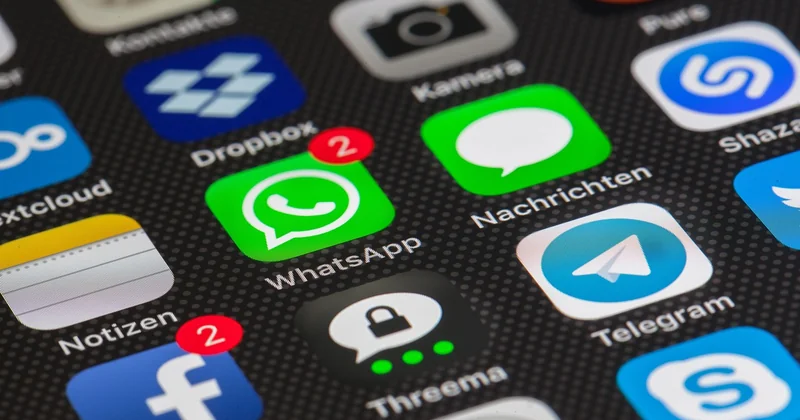
Your pet's name. Your mother's maiden name. The street you grew up on. The school your kids attend. Every one of those shows up as a security question somewhere, and every one of them is answerable by scrolling through a few years of someone's timeline.
I audited my own profiles a while back and found I'd posted, over about two years, enough to reconstruct answers to four separate security questions. I hadn't done anything reckless. I'd just been... normal online.
How to protect your personal information on social media
- Set your profile to visible only to people you've actually met.
- Turn off location tagging on photos. It's off by default on most platforms now, but check.
- Remove your birth date from public display. Year included. Date of birth is a key building block for identity fraud.
- Go back and delete the old stuff. Yes, it's tedious. Metadata accumulates.
The tool almost nobody uses: your legal rights
Something the standard advice tends to skip. If you're in the European Union, or in a jurisdiction with comparable rules, you have an enforceable right to ask a company what data it holds about you, and to have it deleted in many circumstances. Under the GDPR that request must be answered within a month, and it's free.
Most people never file one. Which is strange, because it's the only mechanism that reaches data you can't touch through a browser setting — the information already sitting in someone's CRM, the profiles built from your activity, the records you never consented to in any meaningful sense.
Write a short email. Name the right you're invoking. Ask for a copy of the data and its deletion. Companies that handle these requests well usually respond in a couple of weeks. Companies that don't will at least reveal something about how they treat the information they hold on you.
Does a VPN actually make me anonymous?
No. It changes who can see your traffic — your VPN provider instead of your ISP. It does nothing about the cookies in your browser, the accounts you're logged into, or your browser fingerprint. And a free VPN is almost always funded by selling the very data you were trying to hide.
Is it worth clearing cookies every day?
Not every day, and not all of them. Clear the ones from sites you don't log into, and set your browser to do it automatically on exit. Wiping everything daily means re-entering logins constantly, and people who do that tend to abandon the habit within a fortnight.
What's the single highest-value change?
Two-factor authentication on your primary email account, using an app rather than SMS. If that account falls, everything connected to it falls with it. Everything else on this list is damage limitation after that one step.
The uncomfortable truth is that browsing privately is a maintenance habit, not a purchase. You can't buy your way out of it with a subscription, and no single setting fixes it. What works is a small number of changes applied once, then a periodic check when you remember to do one.
Which raises a question I don't have a clean answer to. We've spent a decade making privacy advice available to anyone who looks for it, and it hasn't moved the needle much, because the defaults still favor collection and convenience still beats caution at every step. So the honest question isn't whether you know how to protect your data. It's whether the effort feels worth it on an ordinary Tuesday, when nothing is on fire and the settings menu is the last place you want to spend ten minutes. I'd say yes, and I'd say it grudgingly, because the alternative is finding out the hard way — the way my client's four-person business did.